SSH (Secure Shell) is the standard protocol for encrypted remote access to Linux and Unix systems. It replaced telnet and rsh by wrapping the session in a cryptographic tunnel — authentication, commands, and data transfer all protected against interception and tampering.
Public key authentication
The default auth mechanism for any serious setup. You generate a key pair: a private key that never leaves your machine, and a public key that goes on the remote host.
ssh-keygen -t ed25519 -C "your@email.com"
ssh-copy-id user@host          # appends public key to ~/.ssh/authorized_keys on remote
Prefer ed25519 over the older rsa — smaller keys, faster, stronger. Keep your private key protected with a passphrase; use ssh-agent to avoid typing it repeatedly.
Key deployment at scale
When you have many hosts, distributing public keys manually doesn’t scale. A typical pattern: submit your public key to a central approval system, which then deploys it to the relevant hosts via automation (Ansible, Puppet, etc.).
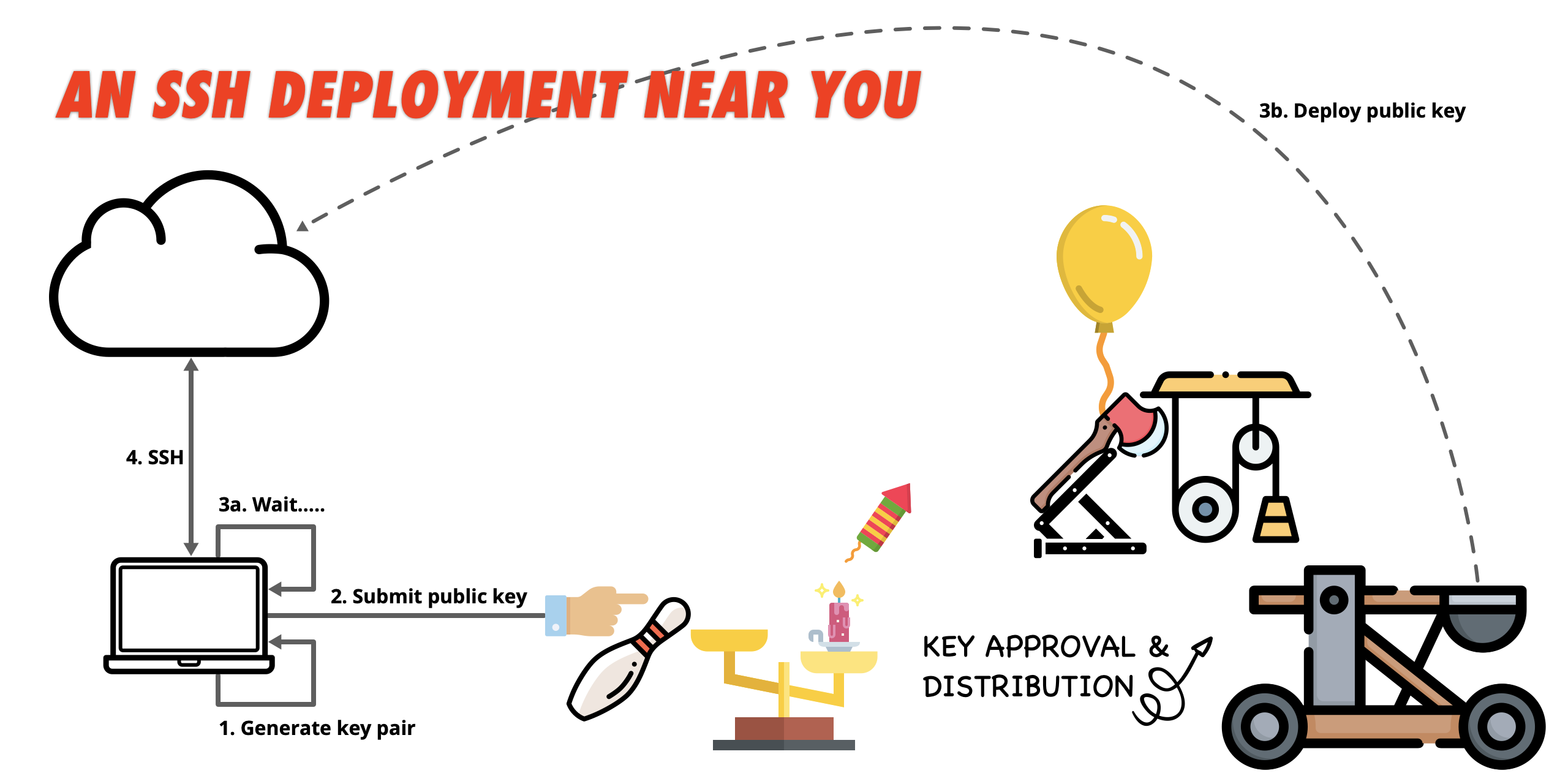
This keeps a clear audit trail — keys are approved, recorded, and can be revoked centrally without touching individual authorized_keys files.
Certificate authentication
At larger scale, even centralised key distribution gets unwieldy. SSH certificates solve this properly: instead of deploying individual public keys, you run an SSH Certificate Authority (CA). Hosts and users trust the CA, not each other’s individual keys.
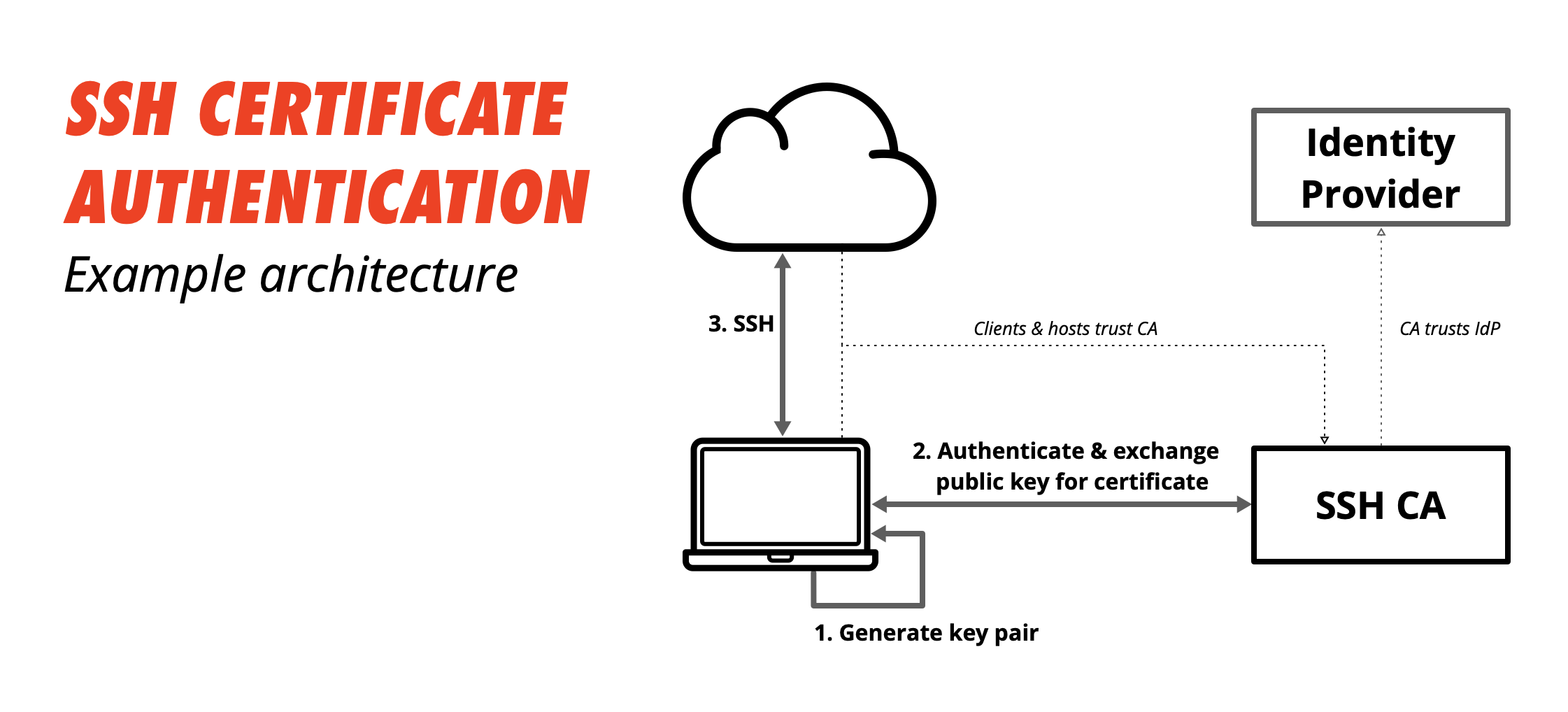
- Generate a key pair locally
- Submit the public key to the SSH CA (backed by your identity provider — FreeIPA, Vault, etc.)
- The CA issues a signed certificate with a short TTL
- SSH to any host — the host trusts the CA, so the certificate is accepted without any pre-deployed keys
Short-lived certificates (hours, not days) dramatically reduce the blast radius of a compromised credential. No revocation lists to maintain.
SSH config
~/.ssh/config avoids repetitive flags on every connection:
Host bastion
    HostName bastion.example.com
    User deploy
    IdentityFile ~/.ssh/id_ed25519
    ForwardAgent yes

Host internal-*
    ProxyJump bastion
    User deploy
ProxyJump (formerly -J) lets you reach hosts that aren’t directly accessible — you SSH through the bastion transparently.
Port forwarding
SSH can tunnel TCP traffic, useful for reaching services on private networks:
# Local forward: reach remote Postgres via localhost:5432
ssh -L 5432:db.internal:5432 bastion

# Dynamic forward: SOCKS proxy through the bastion
ssh -D 1080 bastion
Hardening basics
Key settings in /etc/ssh/sshd_config:
PermitRootLogin no
PasswordAuthentication no
PubkeyAuthentication yes
AllowUsers deploy ansible
Disable password auth entirely once keys are in place. Restrict which users can log in. Run sshd -t to validate config before reloading.