Git is the distributed version control system behind virtually all modern software development. Every clone is a full copy of the history — fast, local, and cryptographically integrity-checked.
Branches
Branches in Git are cheap: creating, merging, and deleting them is fast because a branch is just a pointer to a commit, not a copy of the files.
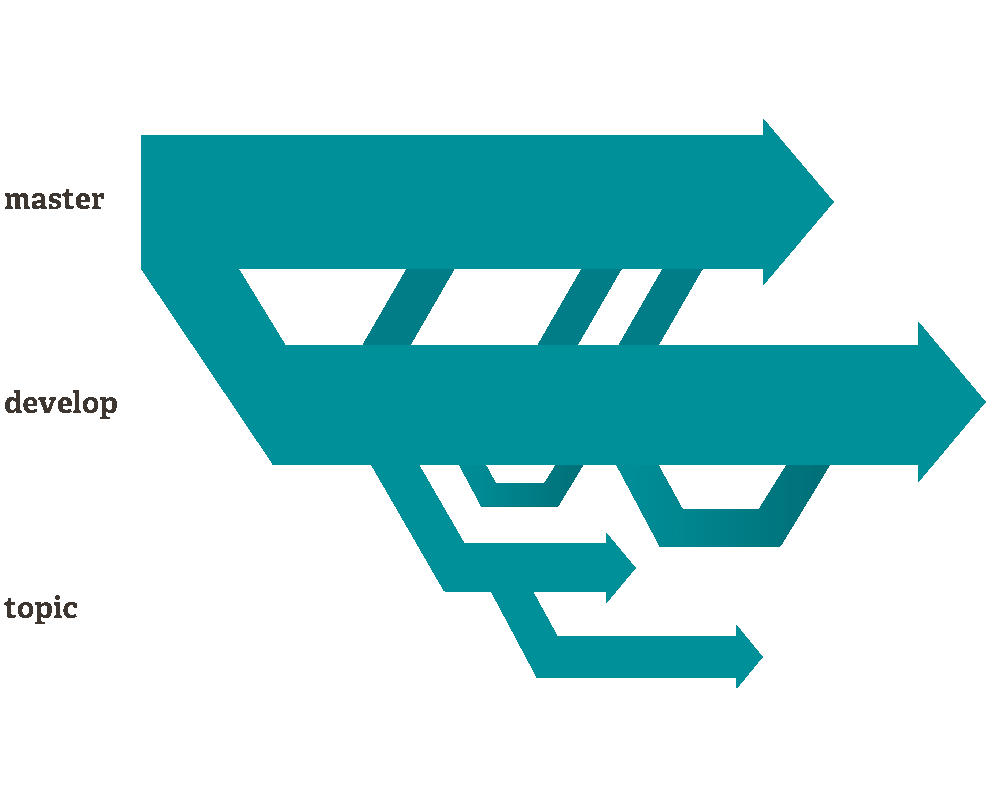
By convention, one branch is singled out and called main (historically master).
Workflows
How teams structure collaboration varies. Three common models:
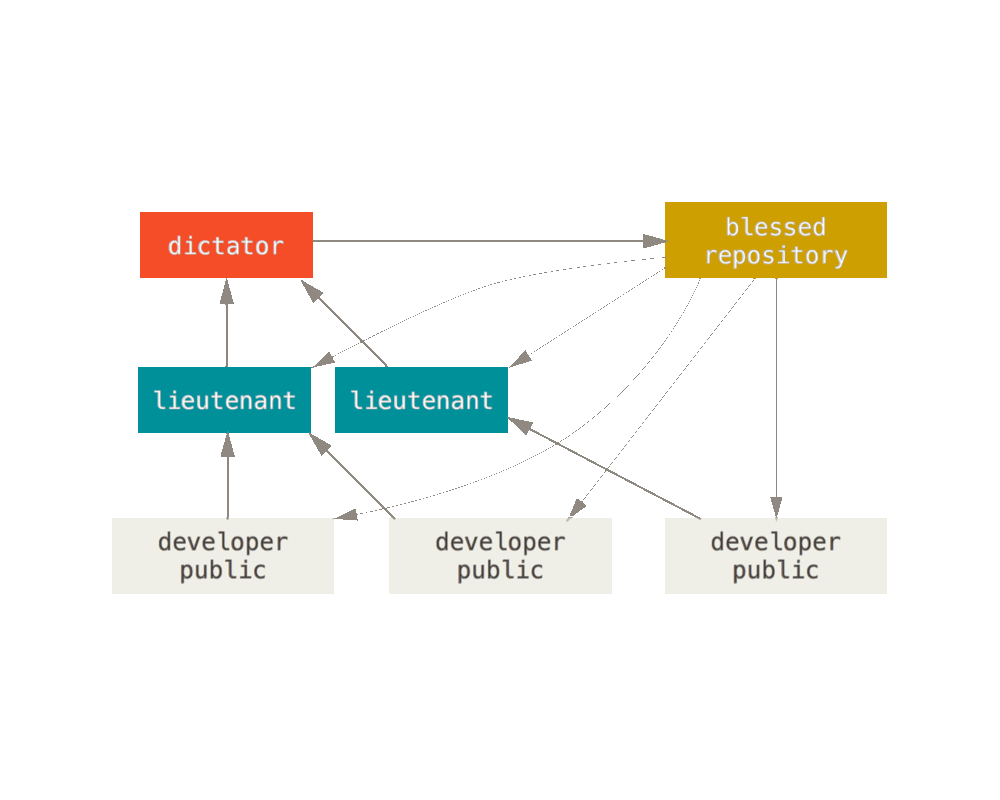
Benevolent dictator — used by the Linux kernel. A hierarchy of trusted lieutenants, with one maintainer having final merge authority.
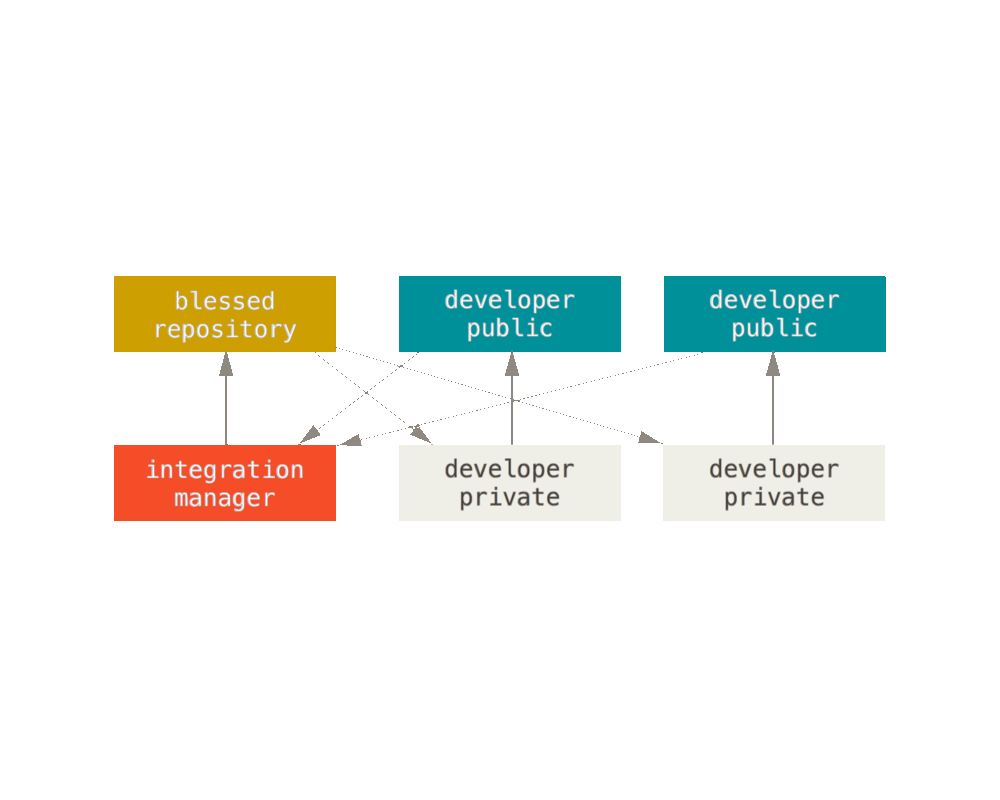
Integration manager — common in open source. Each contributor has their own public fork; a maintainer pulls from forks into a blessed repository.
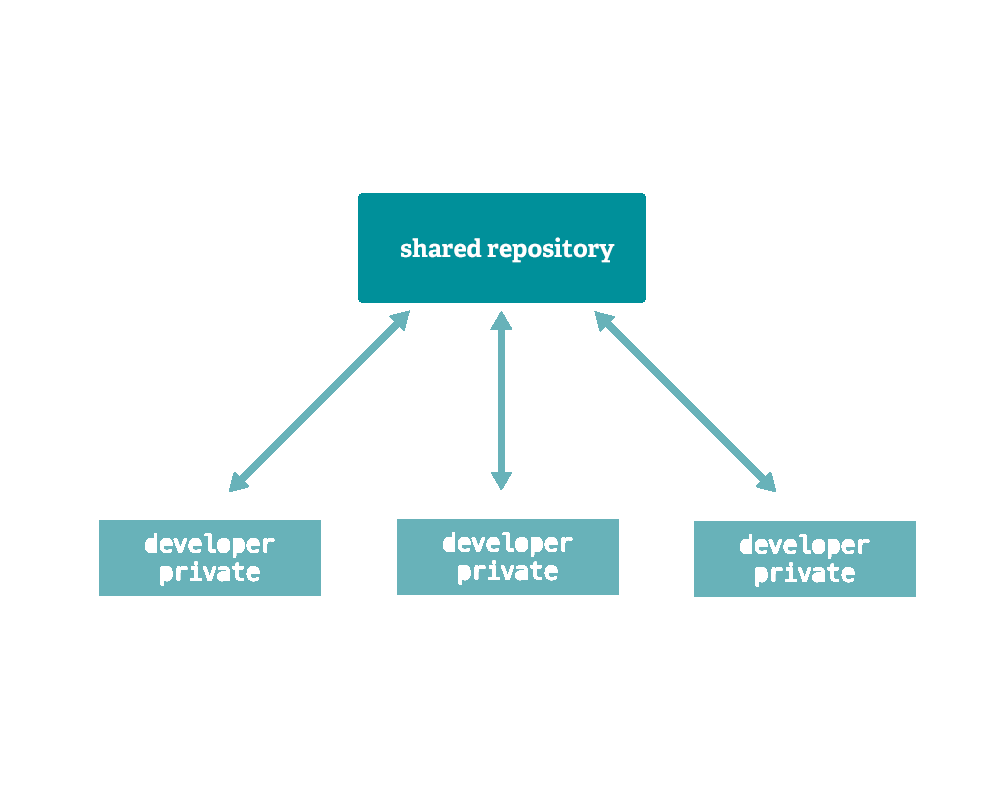
Shared repository — the most common in companies. Everyone pushes to the same remote (origin). All instances are equal; origin is just a convention.
Data integrity
Git’s data model uses SHA-1 checksums for every file and commit. This means:
- Every object is verified on checkout
- History cannot be silently altered — changing any commit changes all IDs after it
- You can’t push without first pulling (unless you force-push and overwrite)
Merge vs rebase
Two ways to integrate branches:
Merge preserves history exactly as it happened — a merge commit ties the two branches together.

Rebase replays your commits on top of the target branch — produces a linear history but rewrites commit SHAs. Never rebase shared/public branches.

Branch strategies
Git Flow — a structured model with main, develop, feature/*, release/*, and hotfix/* branches. Good for software with versioned releases.
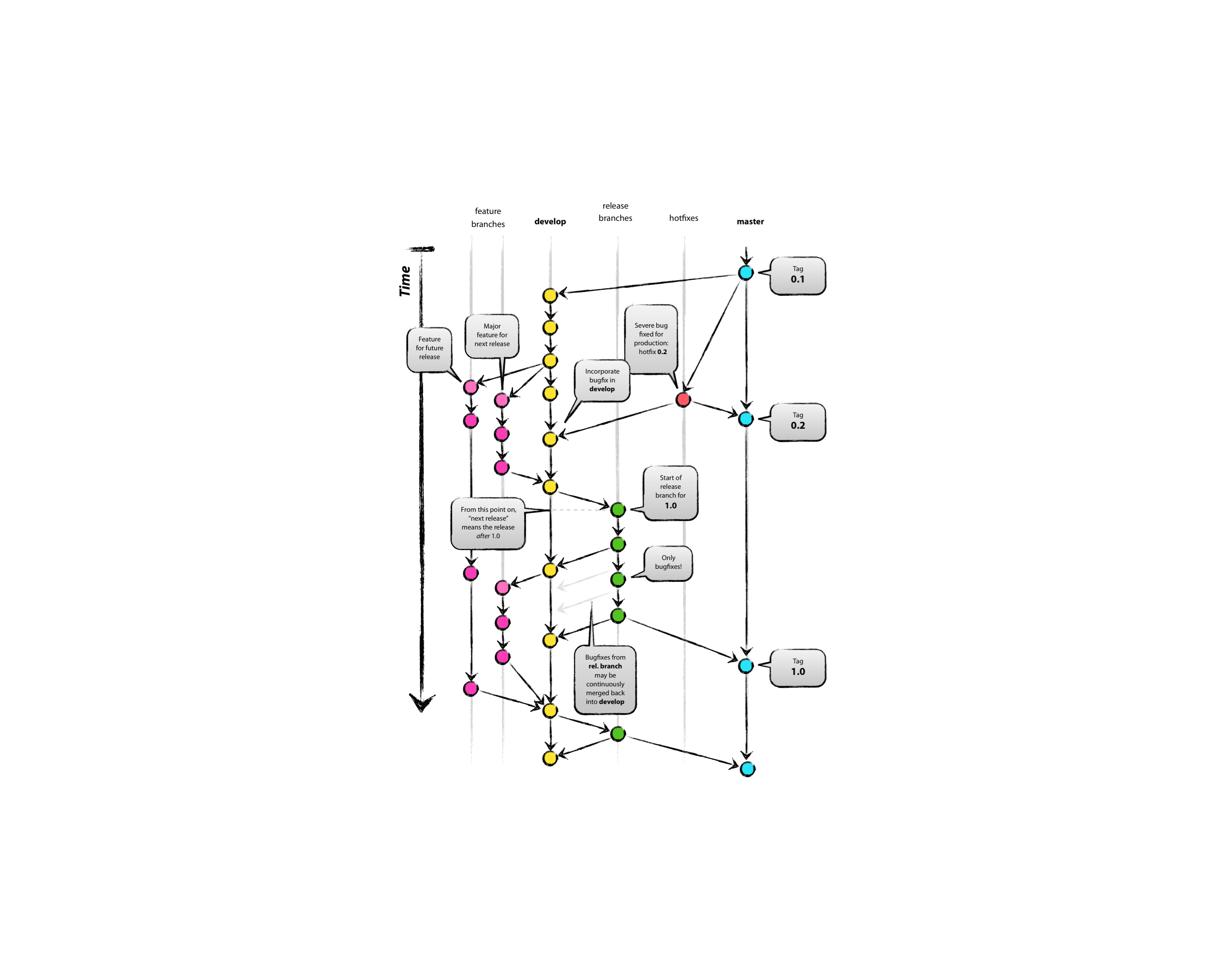
GitHub Flow / GitLab Flow — simpler: branch from main, open a pull request, merge when reviewed. Works well for continuously deployed web apps.

Which strategy fits
| Project type | Recommendation |
|---|---|
| Library / SDK | Git Flow — versioned releases, may need to support multiple versions simultaneously |
| Web application | GitHub Flow — continuously delivered, no need for release branches |
| Client / installable app | Git Flow — users run specific versions you need to patch and maintain |
Advanced Features
Git Worktree
git worktree allows you to check out multiple branches of the same repository into separate directories simultaneously. This is particularly useful for:
- Working on multiple features or bug fixes in parallel without stashing changes.
- Quickly switching contexts for code reviews or testing different versions of your code.
All worktrees share the same Git objects, minimizing disk space usage.